
Publish Photo and Video Portfolios From Lightroom for Photographers
Curate 6–12 projects, organize galleries, and publish mixed photo and video portfolios straight from Lightroom via PhotoView.io.
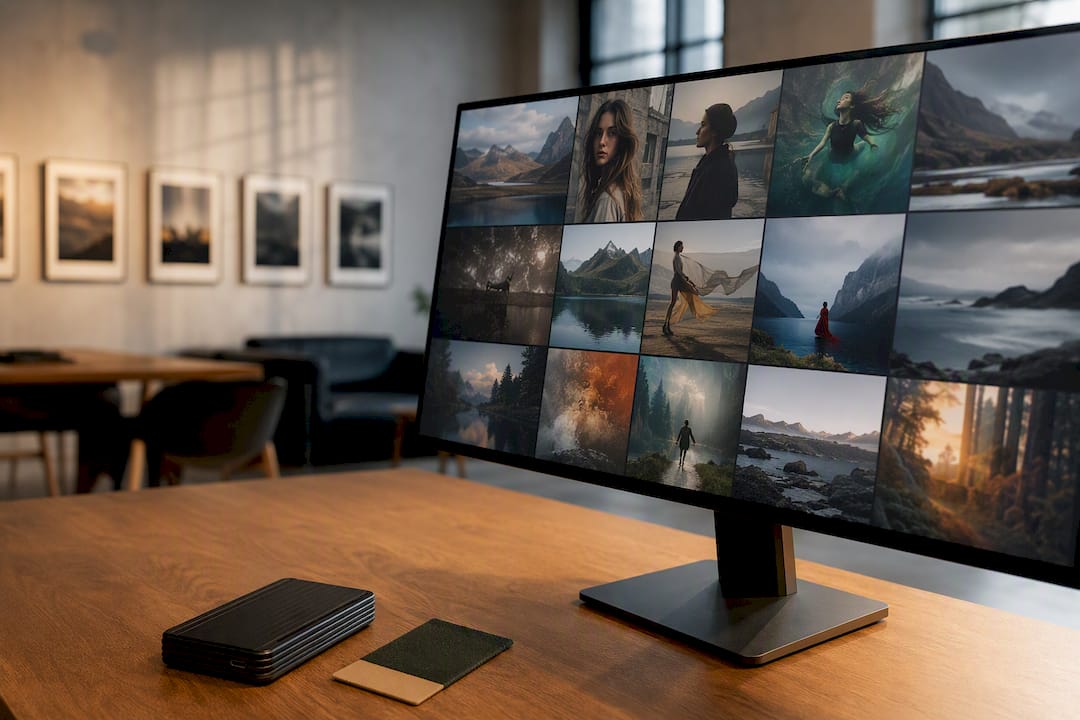
Publish Photo and Video Portfolios From Lightroom for Photographers
Your photo and video portfolio has one job: prove you can deliver the work a client actually needs, fast enough that they stop looking. That means curating your best 6 to 12 projects and deciding your top-level navigation, Photo, Video, or combined Projects, before you touch a single template. Everything else in your presentation supports that one decision.
TL;DR:
- Specialize your portfolio around your key skill or niche, positioning your strongest work at the beginning to quickly demonstrate your expertise.
- Structure navigation clearly by media type, with separate sections for photos and videos, and ensure mobile usability with thumb-friendly menus and controlled load times.
- Each project page should include context, goals, your role, production details, and outcomes, with a curated selection of images or clips to tell a concise story.
- Use compressed formats like WEBP or AVIF for web images and embed third-party video players for longer clips to optimize page load speed, especially on mobile devices.
- Manage your portfolio efficiently by publishing directly from Lightroom with smart folders, reducing manual re-uploads and ensuring your work remains up-to-date across all viewings.
Table of Contents
- What Does a Photo and Video Portfolio Need to Show?
- How Should You Structure Galleries and Navigation?
- What Belongs on Every Project Page?
- What Are the Technical Rules for Images and Video?
- How Does Lightroom Publishing Fit Into Your Workflow?
- What Layout Patterns Should You Copy?
- A Working Photographer’s Take on What Actually Gets Skipped
- Publish Your Portfolio Without Managing a Website
- Sources
- FAQ
What Does a Photo and Video Portfolio Need to Show?
Different viewers scan your portfolio for different signals. An ad agency producer wants to see you can execute a brief on a deadline. A wedding client wants warmth and consistency across an entire day’s coverage. An editor wants proof you can shoot to a publication’s visual style. Your portfolio and video showcase has to speak to whichever of these people lands on it first, often within seconds.
Specialization clarity matters more than range. A portfolio that opens with ten different genres reads as unfocused, even if every image is strong. Lead with your specialty, then use a secondary section or a labeled “Mixed Work” area for hybrid projects that combine photo and video rather than blending everything into one undifferentiated scroll.
Trust signals close the gap between “nice work” and “hire this person.” A visible client list or set of professional endorsements does more for B2B prospects than another gallery of pretty frames. Include:
- Named clients or brands you’ve worked with, where permissions allow
- Short testimonials tied to specific projects, not generic praise
- Production credits (agency, director, editor) that show you operate within real teams
- Publication or award mentions, kept brief and factual
How Should You Structure Galleries and Navigation?
Segregate media types at the navigation level. Mixing photography and video without clear labeling confuses potential clients who are trying to figure out fast whether you shoot stills, motion, or both. A clean pattern:
- Top nav split: Photo / Video / Projects, or a filterable “Work” page with media-type tags
- Gallery vs. project distinction: galleries are curated collections by theme or client; projects are single-story pages with mixed media tied to one brief
- Hybrid project rules: only combine photo and video on one page when they document the same shoot or campaign, and label each section clearly (“Stills” / “Behind the Scenes Reel”)
- Mobile-first check: confirm your nav collapses into a thumb-friendly menu, and that video thumbnails don’t autoplay on cellular data by default
Discoverability on mobile decides whether a viewer stays past the first scroll. Test your site on an actual phone, not just a resized browser window, because touch targets and load behavior behave differently than they appear in desktop previews.
Pro Tip: If you shoot both weddings and commercial video, don’t merge them under one “Portfolio” tab. Separate them into distinct entry points so a corporate client never lands on bridal galleries by accident.
What Belongs on Every Project Page?
Each project page needs to function like a short case study, not a loose stack of pretty frames. Including project context, the goals, the client, the creative challenge, signals that you’re a problem solver, not just someone with a good eye. Build every entry around the same core fields:
- Hero image or short reel that represents the strongest single moment from the project
- One-line summary of what the project was and who it was for
- Client or brief context, even a sentence, so viewers understand the constraints you worked within
- Your role and credits, especially on team productions where you weren’t the sole creative
- Production notes, like gear, location challenges, or turnaround time, when relevant
- Outcomes or metrics, such as campaign reach, publication placement, or client repeat bookings
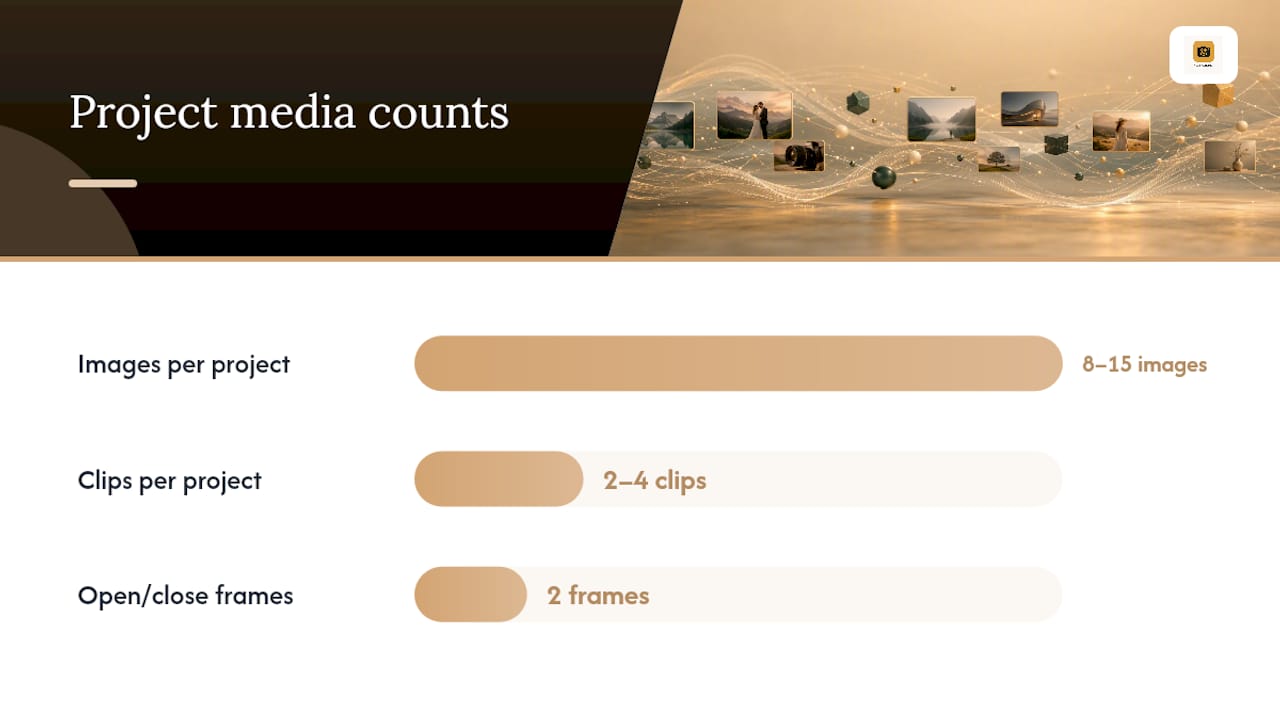
Keep sequencing tight. Eight to fifteen images or two to four clips per project is usually enough to tell the story without diluting your strongest shots. Open and close on your best two frames, since attention drops fastest in the middle of a sequence.
Caption sparingly but specifically, gear, location, or a one-line creative note reads as professional; a paragraph of backstory does not. Where you have client logos or endorsements, place them below the work, not above it, so the creative leads and the credibility follows.
What Are the Technical Rules for Images and Video?
Compression choices affect load time more than most photographers assume. Use WEBP or AVIF for web galleries where browser support allows, falling back to compressed JPEG for older devices. Reserve full-resolution TIFF or PNG exports for print delivery, never for your live site.
Video hosting comes down to a trade-off. Self-hosted MP4 files give you full control over quality and branding but put load strain on your own server. Third-party embed players handle adaptive streaming and bandwidth automatically, at the cost of some visual control and an extra script loading on your page. Most working photographers land on embeds for anything longer than a 30-second clip.
For thumbnails, a short autoplay loop (three to five seconds, muted) converts better than a static still frame, but it costs more in file weight. Choose per project, not as a blanket rule.
Performance basics that matter most on mobile:
- Use responsive images with
srcsetso phones don’t download desktop-sized files - Lazy-load everything below the fold
- Target hero images under 200 to 350 KB using optimized variants, and keep total initial page weight under 1 to 1.5 MB where possible
- Prioritize the hero and first gallery row; defer everything else
A fast-loading page on mobile keeps far more visitors scrolling than one that stalls on a video embed, even when the work itself is excellent.
How Does Lightroom Publishing Fit Into Your Workflow?
The most efficient pipeline starts in Lightroom, not on your website. Curate your selects into a collection, build a Smart Folder for the project, and export optimized web derivatives automatically rather than by hand. From there, publishing directly into a portfolio platform and using smart folders cuts maintenance time and keeps embedded galleries current without repeated re-uploads every time you tweak an edit.
PhotoView.io is built around exactly this handoff. Its feature set includes:
- Secure storage for both finished photos and video, so your source files and your published site pull from one library
- Mixed-media galleries that support photo and video side by side on the same project page
- Custom domains and private sharing links for client delivery outside your public site
- Live embeds that update automatically when you republish from Lightroom
Wedding photographers benefit most from private sharing and mobile-ready templates for client galleries. Travel and commercial shooters get more value from mixed-media galleries and custom domains for brand consistency. The operational payoff across all of them is the same: less time re-exporting and re-uploading, and a portfolio that looks consistent whether it’s viewed on a laptop or a phone in a client meeting.
Pro Tip: Set up your Smart Folder criteria once, by client or shoot date, and every future export inherits the same naming and sizing rules. It saves you from rebuilding your workflow on every new project.
What Layout Patterns Should You Copy?
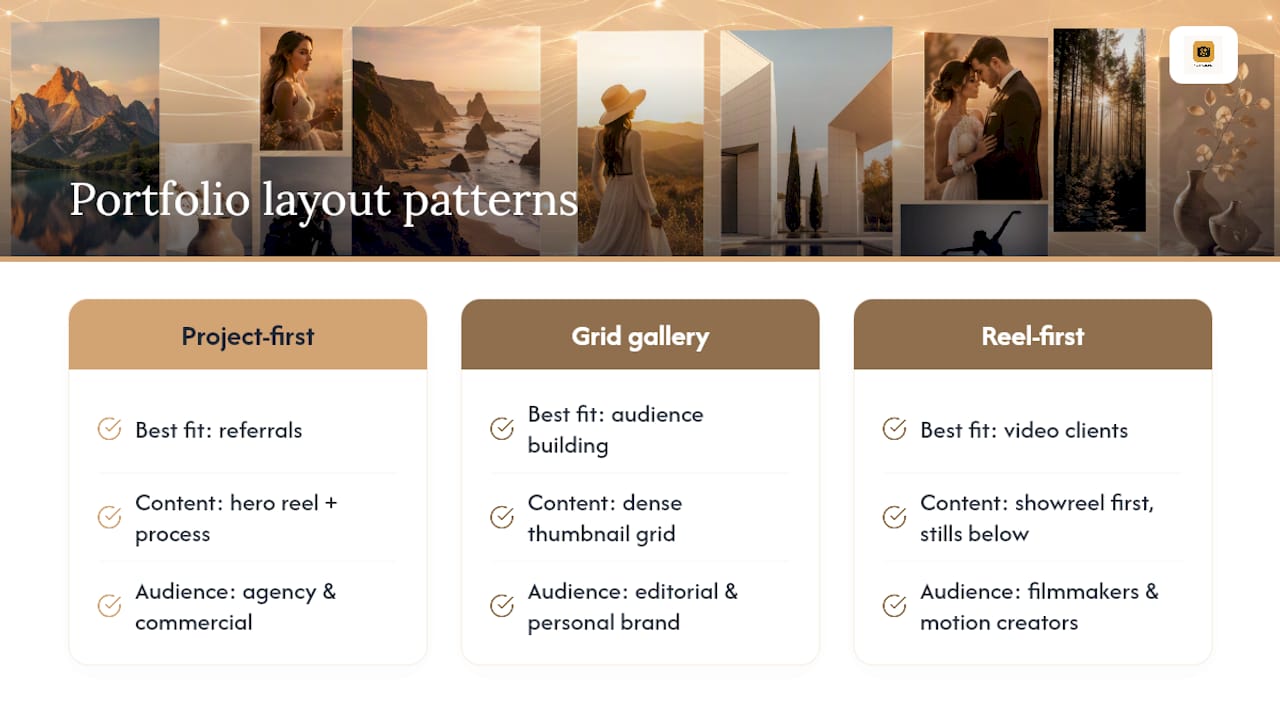
Three patterns cover most working photographers and videographers, and each fits a different kind of client.
Pattern A: Project-first case study. A hero reel at the top, followed by process images and a short brief. This suits agency and commercial work where the client wants to see how you solve a problem, not just the final frame.
Pattern B: Grid-led gallery with lightbox. A dense grid of thumbnails opening into a full-screen lightbox, with separate project pages linked from standout images. This fits editorial photographers and personal brands where volume and range matter more than a single narrative.
Pattern C: Reel-first landing page. The homepage opens directly on a showreel, with supporting stills below. Filmmakers and motion-heavy creators tend to favor this because a moving image sells motion work faster than a static thumbnail ever could.
Match the pattern to your typical inquiry. If most leads come from referral and want proof of process, choose Pattern A. If you’re building an audience or fielding varied bookings, Pattern B scales better. If your offer is primarily video, don’t bury your reel three clicks deep.
A Working Photographer’s Take on What Actually Gets Skipped
Most photographers over-invest in polish and under-invest in curation. If you do five things, do these: cut your gallery down hard, label every mixed-media section, compress your hero images, credit your role on collaborative work, and show at least one outcome or result per project.
The pitfalls I see most often: portfolios with 40 images when 12 would convert better, video clips with no context about what the client asked for, and desktop-only layouts nobody bothered to check on a phone. A platform built for mixed-media publishing removes most of the manual upkeep that causes photographers to skip these steps in the first place.
— Mitch Russo
Publish Your Portfolio Without Managing a Website
PhotoView is built for photographers who’d rather spend Saturday shooting than fixing a broken gallery plugin on Sunday. Where a general website builder makes you manage hosting, plugins, and video compression yourself, PhotoView handles secure storage, mobile-ready templates, and live embeds from one dashboard, so your photography and videography portfolio stays current without repeated manual uploads.

If you’re already editing in Lightroom, publishing straight from your catalog means your galleries update the moment you finish a selects pass, no separate export step required. Wedding and travel photographers get private sharing links for client delivery; commercial shooters get custom domains and mixed-media galleries that keep stills and reels on the same page. Start a trial and browse the template library to see which layout fits your specialty before you commit.
Sources
- Mastering the art of design portfolios: tips and tricks
- Should you include a client list on your website? — Insivia
- How to create a showreel — Artlist blog
FAQ
What Should a Video Portfolio Include?
A video portfolio should include a short reel, individual project clips with production credits, and brief context about the client or brief for each piece, not just raw footage with no framing.
What Is a Photo Portfolio?
A photo portfolio is a curated collection of your best still images organized to demonstrate a specific skill set or specialty to prospective clients, typically grouped by project, genre, or client type rather than shown as one undifferentiated stream.
How Can I Create a Video Portfolio?
Start by selecting your strongest 6 to 12 clips or projects, cut a short reel from your best moments, then build individual project pages with context and credits. Platforms like PhotoView support mixed-media galleries so photo and video can live on the same project page without confusing navigation.
How Do I Combine Photo and Video Without Confusing Visitors?
Label sections clearly (Photography, Video, or a tagged “Work” filter) rather than blending formats into one scroll, and only merge them on a single project page when both document the same shoot or campaign.