
Avoid Pixieset's 15% Commission: Pixieset Alternatives With PhotoView
Start with PhotoView. Compare Pixieset alternatives by business model for print sellers, hybrid/video, or high-volume weddings, and pick the gallery...

Avoid Pixieset’s 15% Commission: Pixieset Alternatives With PhotoView
One strong alternative platform for portfolio-first photographers who want their galleries and websites in one place is highlighted here. Beyond that, ShootProof fits print-focused shooters who want zero commission, CloudSpot suits mobile-first clients, Framebird handles video and large-file delivery, and Pic-Time works best for high-volume weddings that need automated upsells.
TL;DR:
- ShootProof charges no commission on paid plans and uses photo count to scale pricing, making it ideal for print-focused photographers aiming to maximize profit.
- PhotoView offers seamless Lightroom integration and live embed updates, perfect for portfolio-first photographers wanting their site and galleries to stay synchronized.
- Platforms like SmugMug and Pic-Time cater to photographers with large volumes of images, offering unlimited storage or automated marketing tools, respectively.
- Hybrid and video shooters should consider Framebird or a split-stack workflow, as many gallery platforms have limitations on video file size or streaming quality.
- Before switching, photographers must verify export options, print lab support, video file caps, and ownership rights during a trial to avoid workflow disruptions.
PhotoViewphotoview.ioPresent Your Work In One PlacePhotoView helps photographers organize galleries, publish responsive portfolios, and keep website embeds updated from one dashboard.Explore PhotoView
Table of Contents
- What Are the Best Pixieset Alternatives for Photographers?
- How Do These Platforms Compare on the Details That Matter?
- How Do You Choose the Right Pixieset Alternative?
- Why PhotoView Fits Portfolio-First Photographers
- Which Alternative Should You Actually Pick?
- What the Comparisons Get Wrong
- Ready to Try PhotoView for Your Portfolio?
- Sources
- FAQ
What Are the Best Pixieset Alternatives for Photographers?
Every platform on this list solves the same basic problem Pixieset does. It stores your finished work, lets clients view and download it, and often handles print sales too. Where they split apart is pricing structure, commission policy, and how much of your business they’re built to run. Here’s what each one actually offers.
PhotoView is built for photographers who think of their work as a portfolio first and a sales funnel second. It publishes directly from Lightroom, updates live embeds on your existing website from a single dashboard, and organizes galleries through Smart Folders so you’re not manually sorting client work.
- Best for: portfolio-first photographers and creators who want embedded live portfolios tied to their own site
- Standout: Lightroom publishing paired with live-embed updates, so a change in your catalog shows up everywhere at once
- Pricing shape: subscription SaaS with storage-based tiers, with portfolio and website features included
- Export note: built around your own domain and embeds, your published work already lives on infrastructure under your control rather than a locked storefront
SmugMug has been around long enough that many working photographers started their careers on it. It bundles unlimited archive storage with print lab integration, which makes it a reasonable home base for photographers who shoot constantly and never want to think about storage caps.
- Best for: photographers who want to archive everything and sell prints without juggling a separate lab account
- Standout: unlimited storage on its higher plans plus built-in print fulfillment
- Pricing shape: tiered monthly or annual subscription, priced by feature set rather than photo count
- Export note: bulk export tools exist but are more geared toward backup than daily portability
Zenfolio leans hard into event and wedding photography, with a shopping cart experience built for guests ordering prints after the big day. It’s less about portfolio presentation and more about turning a wedding gallery into a functioning storefront.
- Best for: event and wedding photographers who need a complete client-ordering funnel
- Standout: event-focused shop flows that guide guests from gallery to checkout
- Pricing shape: subscription tiers scaled by storage and e-commerce features
- Export note: gallery-level downloads are straightforward, but full-catalog export takes more digging through settings
PhotoShelter targets commercial and archival photographers who need something closer to a digital asset manager than a simple gallery. Licensing tools and metadata-heavy organization set it apart from lighter client-delivery tools.
- Best for: commercial and archival photographers managing large licensing libraries
- Standout: advanced search, metadata, and licensing workflows built for stock and editorial use
- Pricing shape: subscription tiers priced higher than typical gallery tools, reflecting the added asset-management layer
- Export note: strong at bulk export since archival use is the whole point of the platform
ShootProof built its reputation on commission structure. It charges 0% commission on print and product sales across its paid plans, while metering by photo count rather than storage volume.
- Best for: print-focused photographers who want to keep every dollar from a sale
- Standout: 0% commission paired with photo-count tiers that scale predictably as your catalog grows
- Pricing shape: subscription plans priced by number of active photos, not gigabytes
- Export note: gallery downloads work well; account-level bulk export of originals sometimes requires a support request
CloudSpot built its reputation on the mobile experience. Clients viewing galleries from a phone get a smoother scroll, and CloudSpot backs that up with AI-driven photo curation and a studio manager bundled into paid plans.
- Best for: photographers whose clients browse almost entirely on mobile, plus small studios that want CRM features included
- Standout: bundled studio manager, so you’re not paying separately for client communication tools
- Pricing shape: tiered subscriptions with the CRM features rolled into mid and top plans
- Export note: exports are gallery-based; check the account-level export options before assuming bulk originals are one click away
Pic-Time treats your gallery as a marketing engine, not just a delivery box. Automated timed campaigns and unlimited storage on higher tiers push clients toward add-on purchases without you lifting a finger after delivery.
- Best for: high-volume photographers, especially wedding and portrait shooters, who want upsells running on autopilot
- Standout: automated marketing sequences tied directly to gallery activity
- Pricing shape: subscription tiers where storage caps disappear at the higher levels
- Export note: solid gallery export tools, though heavier reliance on the platform’s own marketing flow means less incentive to test portability early
Picflow shows up frequently in newer alternative roundups for its cleaner, more modern gallery interface. It doesn’t try to be everything at once. It focuses on making the gallery itself look and feel current.
- Best for: photographers who want a contemporary look without a steep learning curve
- Standout: a modern, minimal gallery UI that feels less dated than some legacy platforms
- Pricing shape: subscription based, generally positioned as a lighter-weight option
- Export note: gallery exports are standard; treat it as a delivery tool rather than an archive
Pixpa combines a website builder with client galleries, which appeals to photographers who don’t want to run a separate site and gallery platform.
- Best for: photographers who want one integrated system for both a public site and private client delivery
- Standout: the site builder and gallery tools share one dashboard
- Pricing shape: subscription tiers bundling website and gallery features together
- Export note: gallery downloads work as expected, but because the site and gallery are intertwined, migrating just the gallery half takes more planning
Format is portfolio-first in the same spirit as PhotoView, with polished templates aimed at photographers who need a simple public-facing site plus gallery delivery.
- Best for: photographers who want an easy website setup alongside basic gallery delivery
- Standout: template quality and quick setup time
- Pricing shape: subscription tiers scaled by site features and storage
- Export note: standard gallery export; not built around deep archival needs
Unscripted appears in several recent alternative lists as a newer entrant focused on specific gallery features rather than trying to match every legacy platform feature for feature.
- Best for: photographers looking for a newer tool with a narrower, more focused feature set
- Standout: niche feature emphasis that keeps the interface lighter
- Pricing shape: subscription based
- Export note: as a newer platform, confirm export options directly before committing a full client roster to it
Framebird stands out on one specific axis: video and large-file delivery. It adds annotation and comment tools directly on video files, which matters for hybrid shooters delivering both stills and motion to the same client.
- Best for: photographers and videographers who need clients to comment directly on video clips inside the gallery
- Standout: annotation tools built for video review, paired with competitive storage pricing
- Pricing shape: subscription tiers, competitively priced against storage-heavy alternatives
- Export note: built around delivery rather than long-term archiving, so plan on a separate backup strategy for originals
If your workflow leans heavily on video, a split-stack approach, one tool for RAW and video delivery, another for consumer-facing print sales, often works better than forcing a single platform to do both jobs well. Community threads back this pattern up: photographers on Reddit most often mention ShootProof, CloudSpot, Pic-Time, SmugMug, and Zenfolio when someone asks for a Pixieset replacement, which tracks closely with the shortlist above.
How Do These Platforms Compare on the Details That Matter?
The dimensions below aren’t arbitrary. Storage model and commission policy determine your actual profit on a busy month. Print lab integration and studio-manager features determine how much of your admin work disappears. Video support determines whether you need a second tool at all.
The 15% commission Pixieset charges on its free tier disappears once you move to a paid plan, but that’s exactly the kind of detail that catches new photographers off guard.
For print sellers, the commission and lab-integration columns matter more than anything else. ShootProof’s photo-count metering rewards photographers with smaller, curated galleries, while SmugMug’s unlimited storage rewards photographers who shoot in volume and don’t want to think about caps.
Hybrid and video shooters should weigh the last column heavily. Most gallery platforms treat video as an afterthought, which is why Framebird’s annotation tools and streaming-friendly delivery show up so often in comparisons aimed at commercial and wedding videographers working alongside stills.
High-volume wedding photographers tend to gravitate toward Pic-Time or CloudSpot, both of which bundle marketing automation or CRM tools that reduce the manual follow-up work after a shoot wraps. Portfolio-first photographers, meanwhile, get the most value from a platform like PhotoView that treats the website and gallery as one connected system rather than two separate logins.
How Do You Choose the Right Pixieset Alternative?
Match the platform to your actual revenue model, not just its feature list. A checklist by photographer type keeps the decision concrete instead of theoretical.
- Print-focused photographers: prioritize commission structure and lab integration above everything else. Confirm the commission rate at every plan tier, not just the top one, and check which labs are supported before you sign up.
- Portfolio-first photographers: prioritize how the platform connects to your existing website. Look for Lightroom publishing, live embeds, and template flexibility over storefront features you may never use.
- Hybrid and video shooters: prioritize file size limits and streaming quality. Ask specifically about HLS or adaptive streaming support, since some platforms cap video length or resolution in ways that only show up once a client complains.
- High-volume wedding photographers: prioritize automation and CRM features. A platform that handles marketing sequences and client communication saves hours per wedding season, even if it costs a little more per month.
Before signing an annual contract with any alternative, ask these questions directly during your trial period:
- Can I export both individual galleries and my full account of originals, or does bulk export require a support ticket?
- Which print labs are supported, and what’s the actual commission rate at my plan tier?
- Is there a video length, resolution, or bandwidth cap I’d only discover after uploading a large file?
- What happens to my storage if I go over the limit mid-month? Is it a hard block or an overage charge?
- Who owns the files if I cancel? Do I get a grace period to pull everything down?
That last question matters more than most photographers realize until they’re mid-migration and discover their old platform locked exports behind a support queue.
Pro Tip: Run your migration trial with one recent gallery and one real print order, not a blank test account. Walk the full path, upload, client download, paid print order, lab fulfillment, before moving a single other client over. If the lab flow breaks or the commission math surprises you on that one order, you just saved yourself from finding out during a busy wedding season.
If your business model doesn’t fit neatly into gallery tools at all, some comparison guides point toward enterprise digital asset managers like Tagbox.io, Bynder, Filecamp, Canto, and Brandfolder. Those are built for teams managing large asset libraries across departments, not solo photographers delivering client work, so they’re worth a look only if you’ve genuinely outgrown a gallery-first tool.
Why PhotoView Fits Portfolio-First Photographers
PhotoView treats your finished work as a portfolio to be presented, not just files to be delivered. That distinction shapes every feature on the platform.
- 30+ responsive portfolio templates built to keep image presentation front and center rather than burying it under storefront widgets
- Lightroom publishing that pushes finished edits straight from your catalog to your live site
- Smart Folders that organize galleries automatically as your library grows, instead of manual sorting after every shoot
- Custom domains and private sharing for client proofing without exposing work publicly
- Live site embeds that update from one dashboard, so a change in Lightroom shows up on your existing website without a separate publishing step
- Social campaign tools for photographers who want their best work circulating beyond the gallery link itself
Travel, fine art, wedding, commercial, and product photographers all use PhotoView differently, but the common thread is wanting their site and their client work to stay in sync without manual duplication. If your business leans heavily on print sales with lab-specific commission structures, or you need frame-by-frame video annotation, test PhotoView against ShootProof or Framebird directly for those specific needs before committing.
Publish an edit from Lightroom, watch it appear on your live embedded portfolio within minutes, and never touch a separate CMS to make it happen. That’s the workflow PhotoView is built to publish from Lightroom around, and it’s the reason portfolio-first photographers keep choosing it over heavier e-commerce platforms they don’t actually need.
Which Alternative Should You Actually Pick?
Wedding photographers running high shoot volume should lean toward Pic-Time or CloudSpot, where automated marketing and bundled CRM tools cut down on manual follow-up. Commercial and archival photographers managing licensing libraries fit better with PhotoShelter’s asset-management depth. Hybrid shooters juggling stills and video should test Framebird or a split-stack setup before assuming one platform can do both jobs. Portfolio-first photographers, the largest group reading this, get the cleanest fit from PhotoView.
Whatever you choose, run the same three-step trial before migrating your full client list:
- Create one test gallery with a recent shoot and invite yourself as a mock client.
- Verify both the client-side download and a real paid print order through the lab integration.
- Export your full-resolution originals in bulk to confirm you’re not locked into the platform you’re leaving behind.
Document your settings, template choices, and pricing tiers as you go. Migration always takes longer than the trial suggests, and a short paper trail saves real time later.
What the Comparisons Get Wrong
Most Pixieset alternative roundups treat this as a feature checklist problem: more storage wins, lower commission wins, more templates wins. That’s backwards. The right question isn’t which platform has the longest feature list. It’s which platform matches how you actually make money.
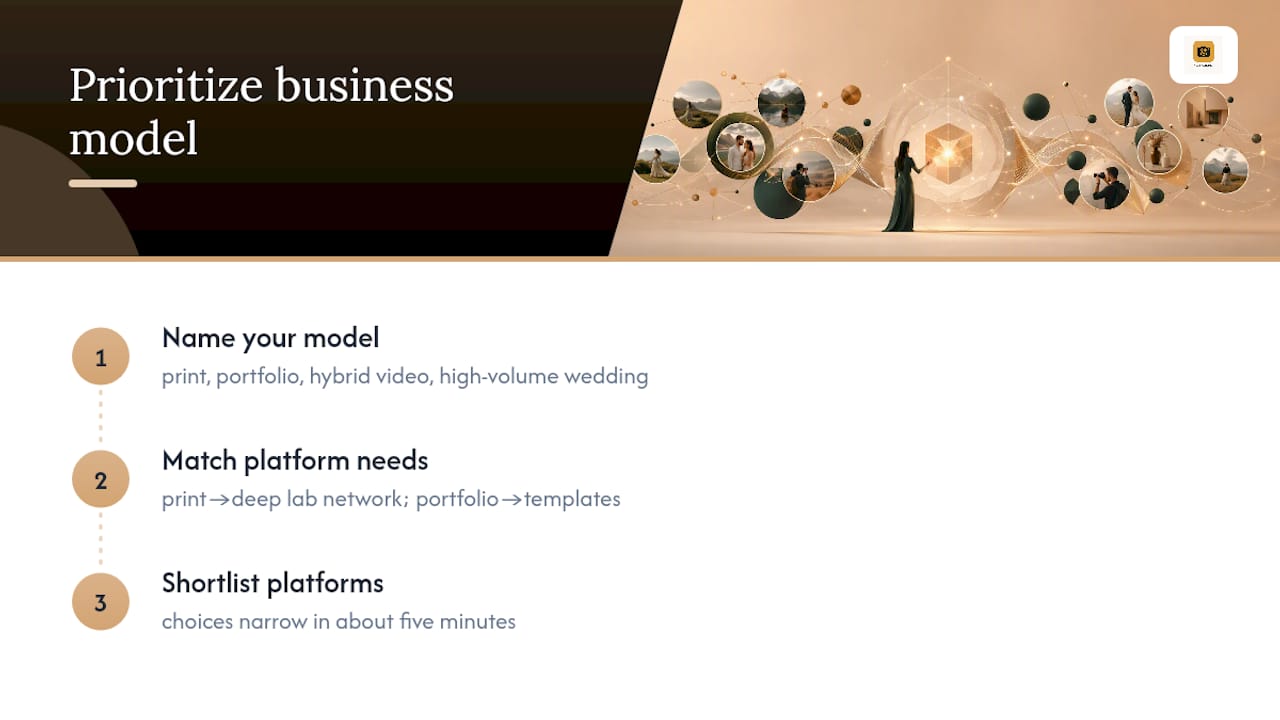
A print-focused photographer chasing PhotoView’s portfolio templates would be frustrated by the lack of a deep lab network. A portfolio-first photographer forcing themselves onto ShootProof’s photo-count pricing would pay for infrastructure they don’t use. The conventional advice, “just pick the cheapest one with good reviews,” ignores that storage caps, commission structures, and template flexibility solve completely different business problems.
What photographers should prioritize first isn’t price. It’s honestly naming their own business model, print seller, portfolio-first, hybrid video, or high-volume wedding shop, before opening a single comparison table. Once you know that, the shortlist above narrows itself in about five minutes.
— Mitch Russo
Ready to Try PhotoView for Your Portfolio?
Some platforms exist to help photographers spend less time managing websites and more time editing, focusing on portfolio presentation instead of print storefronts, and offer features like updating work automatically after publishing from Lightroom.

During a trial, test the workflow that matters most: publish a real gallery from Lightroom, embed it on your existing site, and confirm the update shows up without a second manual step. Check the template selection against your actual body of work, not a demo gallery, since portfolio presentation only proves itself with your own images. If discoverability after launch matters to you, pairing a strong portfolio with dedicated photography SEO support helps more clients actually find the site you just built.
Start your trial through the PhotoView solutions page and see how a portfolio-first gallery feels once your website and your client work finally share one dashboard.
Sources
- Pixieset vs ShootProof in 2026: Which Is Better? | Framekit
- Pixieset vs CloudSpot vs ShootProof: Gallery Delivery for Photographers (2026)
- Best Pixieset Alternative for Photo & Video Delivery (2026) | Fastio
- Pixieset alternatives: 5 things to check before you switch
FAQ
Is ShootProof or Pixieset better?
ShootProof charges 0% commission on paid plans and meters by photo count, while Pixieset’s free tier takes a 15% cut on sales, so ShootProof usually wins for print-focused photographers watching commission closely.
Is Pixpa or Pixieset better?
Pixpa combines a full website builder with client galleries in one dashboard, which suits photographers who want a single integrated site and gallery system rather than two separate tools like Pixieset often requires.
Is HoneyBook better than Pixieset?
HoneyBook is a client-management and invoicing tool, not a gallery platform, so the two solve different problems. Photographers who need both often run HoneyBook for CRM alongside a gallery tool like PhotoView, ShootProof, or CloudSpot for delivery.
Is Pic-Time better than Pixieset?
Pic-Time’s automated marketing campaigns and unlimited storage on higher tiers make it a stronger fit for high-volume wedding photographers who want upsells running without manual follow-up.
What should I check before migrating away from Pixieset?
Verify commission rates, exportability of both gallery downloads and bulk originals, print lab support, and video file limits during a trial before moving your full client list to any new platform.
Is PhotoView a good Pixieset alternative for portfolio sites?
Yes, PhotoView fits photographers who want their portfolio and website connected directly, with Lightroom publishing and live site embeds that update from one dashboard instead of a separate gallery-only tool.