
17 Squarespace Alternatives for Photographers That Include Galleries
Compare 17 Squarespace alternatives chosen for photographers, focusing on built-in client galleries, proofing, Lightroom publishing, and starter pricing.

17 Squarespace Alternatives for Photographers That Include Galleries
PhotoView.io is the strongest Squarespace alternative for photographers who need built-in client galleries, proofing, and Lightroom publishing without stitching together separate tools. If your priorities lean elsewhere, Pixieset and SmugMug handle gallery delivery well, Wix and Format offer broader design flexibility, and WordPress remains the choice for photographers who want total ownership of their site. The right pick depends on how much of your workflow needs to live within one dashboard.
TL;DR:
- PhotoView.io offers native Lightroom publishing, private galleries, proofing, and live embeds from a single dashboard, starting at $3.99 per month.
- Platforms like Pixieset, SmugMug, and Format prioritize client gallery delivery, storage capacity, and integrated sales tools, catering to different volume and budget needs.
- General website builders like Wix and Squarespace lack native client galleries and proofing, requiring third-party apps or add-ons, which can increase complexity and cost.
- WordPress provides full control over site ownership and customization but demands more setup time and technical knowledge, especially for gallery and e-commerce plugins.
- Switching platforms is worth considering if your current site causes weekly workflow friction, such as manual exports from Lightroom or separate proofing tools, rather than occasional annoyances.
PhotoViewBring Your Photography Workflow TogetherPhotoView helps you store, curate, publish, and share photography through galleries, portfolios, and website embeds from one dashboard.Explore PhotoView
Table of Contents
- What Are the Best Squarespace Alternatives for Photographers?
- Comparing the Top Website Builders for Photographers
- How Should Photographers Choose a Website Platform?
- How We Tested and Compared These Platforms
- What Makes PhotoView.io Built for Photographers Specifically
- When Is It Actually Worth Switching Platforms?
- Try PhotoView.io Before You Commit to Anything Else
- Sources
- FAQ
What Are the Best Squarespace Alternatives for Photographers?
Squarespace builds beautiful templates, but it was never built around a photographer’s actual workflow — photographers should keep in mind the Squarespace SEO Automation considerations when deciding on this platform. There’s no native proofing system, no built-in Lightroom publishing, and no simple way to hand a client a private gallery they can favorite and download from. That gap is exactly why so many photographers start searching for alternatives to Squarespace in the first place, and why the platforms that win this comparison are the ones that treat galleries and client delivery as core features, not add-ons.
Here’s the shortlist worth your time, and why each one earns a spot.
- PhotoView.io: best for photographers who want galleries, proofing, and live embeds managed from one dashboard, with Lightroom publishing built in and every template included on every plan.
- Pixieset: best for photographers whose main job is delivering polished client galleries fast, with a proofing and download experience clients already recognize.
- SmugMug: best for photographers who shoot high volumes and want unlimited storage paired with print lab fulfillment.
- Wix: best for photographers who want maximum design freedom and don’t mind building gallery and proofing functionality with third-party apps.
- WordPress: best for photographers who want to fully own their site, control every line of code, and aren’t afraid of a steeper setup curve.
- Format: best for budget-conscious photographers who want proofing and a store bundled into one affordable plan.
Pricing across this group runs from free (Adobe Portfolio, Webador’s basic tier) to premium (SmugMug’s higher plans, Editor X for agency-level control). Most photographer-first platforms, including PhotoView.io, sit in the affordable-to-mid range, with monthly plans starting under $10.
The pattern that matters here: platforms built specifically for photographers tend to bundle galleries, proofing, and sales tools that general builders make you assemble yourself. Framekit’s comparison of Squarespace alternatives makes the same case, noting that photographer-focused tools often cost less combined than Squarespace plus a separate gallery add-on. That’s the criteria this whole guide is built around: not which builder has the flashiest templates, but which one actually fits how photographers work with clients.
Comparing the Top Website Builders for Photographers
Before you dig into each platform’s profile, here’s how the main contenders stack up on the dimensions that actually affect a photographer’s day-to-day workflow.
| Platform | Best For | Pricing (from) | Galleries & Proofing | E-Commerce / Print Sales | Storage | Lightroom Integration | Free Plan/Trial |
|---|---|---|---|---|---|---|---|
| PhotoView.io | Integrated galleries, proofing, and live embeds from one dashboard | $3.99/mo | Built-in | Print/product sales via galleries | Tiered by plan | Yes, direct publishing | Trial available |
| Pixieset | Fast, polished client gallery delivery | Free tier; paid plans vary | Built-in, industry standard | Built-in store | Tiered by plan | Limited | Free tier |
| SmugMug | High-volume shooters needing unlimited storage | Paid plans vary | Built-in | Print lab integration | Unlimited on most plans | Limited | Free trial |
| Zenfolio | Legacy photographers wanting sales plus galleries | Paid plans vary | Built-in | Built-in store | Tiered by plan | Limited | Free trial |
| Format | Budget photographers wanting proofing and store combined | Paid plans vary | Built-in | Built-in store | Tiered by plan | Limited | Free trial |
| Pixpa | Low-cost all-in-one with galleries and selling tools | Paid plans vary | Built-in | Built-in store | Tiered by plan | Limited | Free trial |
| Wix | Design freedom with app-based extensions | Free tier; paid plans vary | Via third-party apps | Via apps/Wix eCommerce | Tiered by plan | No native integration | Free tier |
| Squarespace | General-purpose sites with strong template design | Paid plans vary | Not built-in | Squarespace Commerce add-on | Tiered by plan | No native integration | Free trial |
| WordPress | Full ownership and unlimited customization | Free software; hosting extra | Via plugins | Via WooCommerce or similar | Depends on host | Via plugins | Depends on host |
| Adobe Portfolio | Free portfolio for Creative Cloud subscribers | Included with Creative Cloud | Not built-in | None | Limited | No native integration | Included with Creative Cloud |
| Hostinger | Budget hosting and builder combo | Low introductory pricing | Not built-in | Via plugins/apps | Depends on plan | No native integration | Free trial |
| 22Slides | Clean, minimalist portfolio quickly | Paid plans vary | Not built-in | None | Limited | No native integration | Free trial |
| Editor X | Pixel-level design control for agencies | Paid plans vary | Via apps | Via apps | Tiered by plan | No native integration | Free trial |
| Fabrik | Curated, gallery-led creative templates | Paid plans vary | Limited | Limited | Tiered by plan | No native integration | Free trial |
| SITE123 | Absolute beginners wanting a fast, simple site | Free tier; paid plans vary | Not built-in | Basic store add-on | Limited | No native integration | Free tier |
| Webador | Very low-friction starting point | Free tier; paid plans vary | Not built-in | Basic store add-on | Limited | No native integration | Free tier |
| IONOS | Bundled hosting and builder at competitive prices | Low introductory pricing | Not built-in | Via add-ons | Depends on plan | No native integration | Free trial |
1. PhotoView.io
PhotoView.io is built around one idea: update your work once, and let it show up everywhere it needs to, without rebuilding anything. Photographers upload finished photos and video, organize them with Smart Folders, and publish across a portfolio site, mobile presentations, and live embeds on an existing website, all from one dashboard.
The standout here is Lightroom publishing paired with live embeds and a library of more than 30 responsive gallery templates, all included on every plan rather than gated behind a premium tier. That last part matters more than it sounds. A lot of photographer platforms dangle their best templates as an upsell. PhotoView.io doesn’t.
Pricing starts at $3.99 per month (or $39.99 per year) on the Starter plan, moving up through Growth at $5.99 per month ($59.99 per year), Studio at $7.99 per month ($79.99 per year), and Premier at $11.99 per month ($119.99 per year), with a Custom tier for high-volume storage needs. Galleries and private sharing are core features, not add-ons, and storage scales with the plan you choose.
Verdict: if your workflow depends on keeping a portfolio, client galleries, and embedded site content in sync without manual duplication, PhotoView.io is the platform built for exactly that job.
2. Wix
Wix gives photographers the widest design latitude of any builder on this list. Its drag-and-drop editor and enormous app marketplace mean you can bolt on almost any function, including gallery plugins and booking tools, but you’re assembling a photography workflow rather than starting with one.
Templates are plentiful and genuinely well-designed. Tooltester’s hands-on review notes Wix’s template variety as a strength, though it also flags that photographer-specific features like proofing aren’t native. You’ll need third-party apps for client galleries, which adds monthly cost and another login to manage.
Verdict: Wix suits photographers who want to build a highly customized site and don’t mind managing gallery and proofing functions separately.
3. Format
Format was built with photographers in mind from day one, and it shows in the proofing and client gallery workflows that come standard. The store functionality is also built in, so selling prints or licensing images doesn’t require a third-party plugin.
Pricing sits in the affordable range, and CreativeBloq’s buying guide lists Format among the stronger photographer-first options for balancing template quality with practical features. Templates lean clean and image-forward rather than heavily stylized.
Verdict: Format works well for photographers who want proofing and sales tools bundled at a lower price point than some competitors.
4. Pixpa
Pixpa targets the same photographer-first niche as Format and Pixieset, with galleries, client proofing, and e-commerce built into its plans at a notably low entry price. It’s a reasonable option for photographers just starting to charge for their work who don’t want to overspend on software before they’ve built a client base.
The trade-off is template polish. Pixpa’s designs are functional but don’t hit the same visual bar as some pricier competitors.
Verdict: Pixpa fits photographers who need galleries and selling tools now, on a tight budget, and can live with simpler template design.
5. Pixieset
Pixieset built its reputation on gallery delivery, and that’s still where it’s strongest. Clients get a clean, branded gallery experience for viewing, favoring, and downloading images, and the proofing flow is about as frictionless as this category gets.
Pixieset later added website-building and store features, but the gallery experience remains the core draw. Pricing includes a free tier with limits, scaling up through paid plans as storage and feature needs grow.
Verdict: Pixieset is a strong pick if client gallery delivery is your single biggest workflow priority and you’re willing to treat the website side as secondary.
6. SmugMug
SmugMug’s biggest differentiator is storage. Most of its plans offer unlimited storage, which matters enormously for wedding and event photographers delivering thousands of high-resolution images per shoot. It also integrates directly with professional print labs, so selling physical prints through your site is straightforward.
Templates are functional rather than cutting-edge, and the interface carries some legacy design choices that feel dated next to newer competitors.
Verdict: SmugMug is the practical choice for high-volume shooters who need to store and sell large image sets without hitting storage caps.
7. Zenfolio
Zenfolio has been serving photographers for years, pairing website building with proofing and integrated sales channels. It’s a known quantity, with mature tools for galleries and print sales built directly into the platform.
The interface hasn’t kept pace with some newer entrants in terms of design flexibility, and template variety is more limited than platforms built more recently.
Verdict: Zenfolio suits photographers who want a stable, all-in-one platform with sales tools already proven over time, even if the design options feel dated.
8. Adobe Portfolio
If you already pay for Creative Cloud, Adobe Portfolio comes at no additional cost. It’s a genuinely simple way to get a basic portfolio online, with straightforward setup and no separate billing to track.
The catch is depth. There’s no client gallery or proofing system, no e-commerce, and template customization is limited. This is a portfolio, not a client workflow tool.
Verdict: Adobe Portfolio makes sense only as a free add-on for Creative Cloud subscribers who need a simple portfolio and nothing more.
9. Hostinger
Hostinger pairs low-cost hosting with a basic site builder, and the introductory pricing is genuinely hard to beat. For a photographer who just needs a simple site online fast and cheap, it does the job.
There’s no photographer-specific functionality here. Galleries, proofing, and print sales all require third-party plugins or manual workarounds, and template quality is basic.
Verdict: Hostinger fits photographers on the tightest budgets who can tolerate a bare-bones setup and don’t need client workflow tools.
10. 22Slides
22Slides keeps things minimal: clean, image-forward templates with a fast setup process. It’s aimed at photographers who want a simple portfolio online without wading through a heavy feature set.
That minimalism is also the limitation. There’s no built-in gallery delivery or proofing, so client workflows still need a separate tool.
Verdict: 22Slides works for a quick, minimalist portfolio, but not as a full client-delivery solution.
11. Editor X
Editor X, from the Wix family, gives design-savvy photographers and small agencies far more granular control over responsive layouts than standard Wix. If you want pixel-level precision in how your site adapts across devices, this is built for that.
It comes with a steeper learning curve, and like Wix, it has no native photographer-specific gallery or proofing tools.
Verdict: Editor X suits photographers or studios who want advanced layout control and are comfortable with a more technical build process.
12. Fabrik
Fabrik leans into curated, gallery-led templates with a distinct design sensibility, aimed at creatives who want their portfolio to feel hand-crafted rather than templated.
Client workflow tools are limited, so photographers who need proofing or sales built in will need to look elsewhere or bolt on additional services.
Verdict: Fabrik fits photographers prioritizing a distinctive visual presentation over integrated client tools.
13. SITE123
SITE123 is built for speed and simplicity, ideal for photographers who’ve never built a website and want to be live within an hour. The setup process holds your hand at every step.
The trade-off is depth. There’s no dedicated gallery or proofing system, and the store add-on is basic.
Verdict: SITE123 works as a fast starting point for beginners, not as a long-term client-delivery platform.
14. Webador
Webador offers a genuinely free tier alongside simple paid plans, making it accessible for photographers who aren’t ready to commit financially. The builder is straightforward, with basic templates that get a simple site online quickly.
As with several general builders on this list, there’s no native gallery or proofing system.
Verdict: Webador is a reasonable low-friction entry point, best suited to photographers not yet ready to invest in a dedicated workflow tool.
15. IONOS
IONOS bundles hosting and site building at competitive introductory pricing, with business-grade features like email hosting included in some plans. For photographers who want everything under one vendor at a reasonable price, it’s a practical bundle.
Photographer-specific tools are absent, so galleries and proofing require third-party add-ons.
Verdict: IONOS suits photographers who want value-priced hosting plus a builder and don’t need specialized client workflow features baked in.
16. Squarespace
Squarespace remains genuinely strong on template design and general-purpose site building, which is exactly why so many photographers start there. CreativeBloq’s guide credits Squarespace with some of the best-looking templates in the category.
The gap shows up in client workflow. There’s no built-in proofing or client gallery system, and selling prints requires the separate Squarespace Commerce add-on, which adds cost and complexity for photographers who just want to deliver a shoot to a client.
Verdict: Squarespace is a strong general website builder, but photographers who need galleries and proofing will still need to add another tool on top.
17. WordPress
WordPress offers something none of the hosted platforms can: complete ownership. You control your hosting, your code, your plugins, and your data, with no platform lock-in. For photographers focused on SEO and long-term control, self-hosted WordPress remains the recommended route despite the added maintenance work.
Galleries, proofing, and e-commerce all come through plugins like WooCommerce or dedicated gallery plugins, which means more setup time and more moving parts to maintain.
Verdict: WordPress fits photographers willing to trade convenience for total control over their site and data.
How Should Photographers Choose a Website Platform?
Start by figuring out which parts of your workflow actually need to live inside your website platform, and which ones you’re fine handling separately. That single decision narrows this list fast.
Run through these criteria before you commit to any migration:
- Client galleries and proofing. Are they built into the plan, or do you need a third-party app and a separate subscription?
- Lightroom and workflow integration. Can you publish directly from your editing software, or are you exporting and re-uploading every time?
- Print lab and e-commerce fit. Does the platform integrate with a print lab you already trust, and what are the transaction fees on sales?
- Storage limits. Is storage unlimited, tiered by plan, or capped in a way that will force an upgrade sooner than you’d like?
- Export and ownership. Can you export your images, client data, and site content if you switch platforms later?
- Template and mobile quality. Do the templates look current, and do they load fast and look sharp on a phone, where most client previews now happen?
- Fees. Are there transaction fees on print or product sales beyond your subscription cost?
During a free trial, ask these questions directly rather than assuming the answer:
- Can I set up a full client gallery, from upload to client download, without hitting a paywall mid-process?
- Does publishing from Lightroom actually work, or is it a manual export step marketed as an “integration”?
- What happens to my storage limit if I have a heavy shooting month?
- Can I preview how a gallery looks on mobile before sending it to a client?
- What’s the actual fee structure on a print sale, beyond the subscription price?
- Can I export my full site and client data if I decide to leave?
Pro Tip: Set up one real client gallery, with your own recent shoot, and send it to a friend for feedback before you commit to any plan. Watching someone else navigate the proofing flow reveals interface problems you won’t notice as the person who built it.
A few red flags should stop a migration cold: no clear storage cap disclosed anywhere in the pricing page, gallery features locked behind the platform’s most expensive tier, no data export option at all, or a review pattern showing repeated complaints about mobile gallery loading times. Any one of those is a warning sign worth taking seriously before you move years of client work.
How We Tested and Compared These Platforms
Every platform on this list was evaluated against the same core workflow checks, not just template screenshots. That consistency is what makes the comparisons above meaningful rather than a collection of marketing claims.
The checks covered:
- Setting up a sample client gallery from scratch, including upload, organization, and privacy settings
- Running a full proofing roundtrip: client view, favoriting, and download permissions
- Testing Lightroom publishing where the platform claims it, checking whether it’s a direct integration or a manual export workaround
- Walking through store checkout for print or product sales, where available
- Checking mobile responsiveness across gallery, portfolio, and checkout pages
- Reviewing export options for images, client data, and site content
Findings were cross-referenced against vendor documentation and independent reviews, including hands-on notes from Tooltester and template-quality assessments from CreativeBloq, to confirm pricing and feature claims held up outside marketing pages.
One limitation worth naming: pricing tiers and feature sets change, sometimes without much notice. Treat every price in this article as a starting point, and confirm current numbers on each platform’s own pricing page before you commit. Better yet, run your own version of these same tests with a real gallery from a recent shoot. That’s the only way to know a platform fits your specific workflow, not just the average one.
What Makes PhotoView.io Built for Photographers Specifically
PhotoView.io’s feature set reads like a checklist built directly from photographer workflow complaints, not a general website builder with photography templates bolted on. Lightroom publishing lets you push finished edits straight from your editing software into your live portfolio, skipping the export and re-upload cycle that eats time on every other general builder on this list.
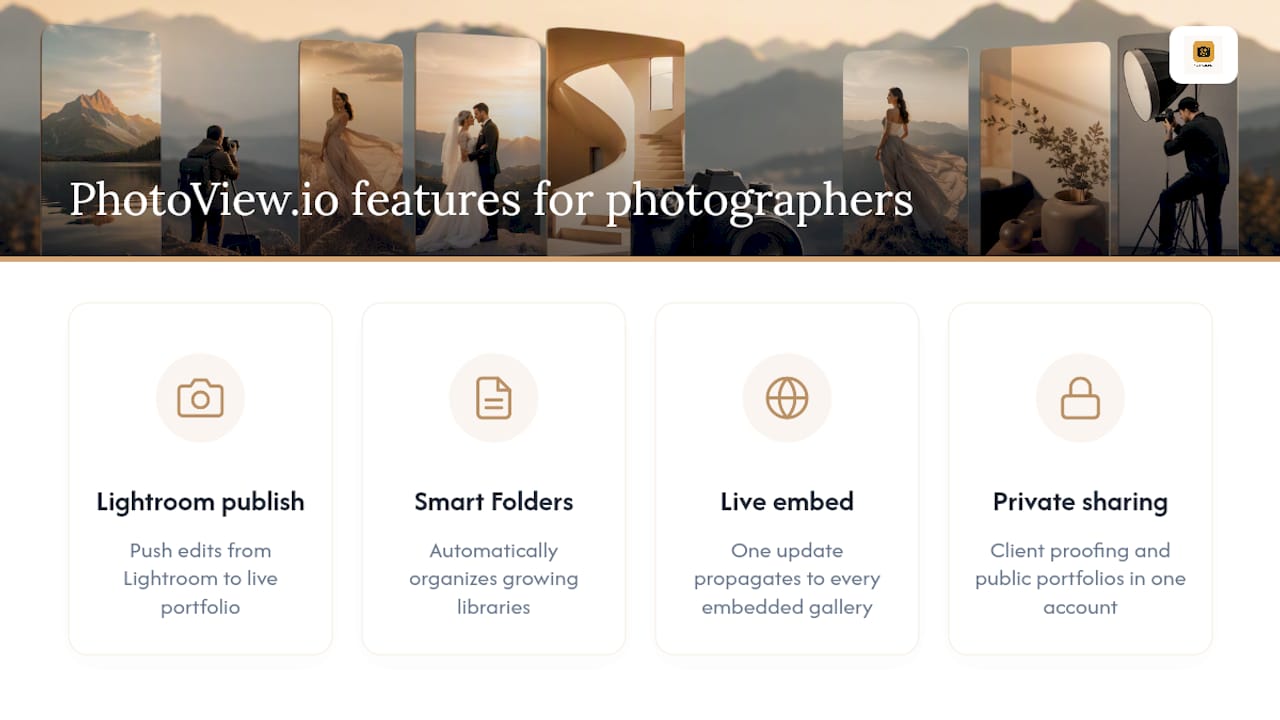
Smart Folders keep growing image libraries organized automatically rather than demanding manual sorting after every shoot. Private sharing and multiple galleries mean you can run client proofing, a public portfolio, and a mixed-media reel side by side without separate logins or separate subscriptions. And with more than 30 responsive gallery templates included on every plan, design choice isn’t gated behind a premium tier the way it is on some competitors.
The live embed feature deserves particular attention. Update your work once in PhotoView, and it updates everywhere that gallery is embedded, whether that’s your main site, a client-facing page, or a secondary site you maintain for a different market. You’re not rebuilding content across platforms every time you finish a shoot.
Photographers who split their time between shooting and managing three different tools for portfolio, proofing, and embeds are the exact audience this workflow was designed to serve. Keeping galleries, proofing, and live site updates in one dashboard means less time spent on maintenance and more time spent on the work that actually pays.
This combination fits travel, fine art, wedding, commercial, and product photographers particularly well, since all five need to move between public portfolio presentation and private client delivery without friction. If your business runs on both, PhotoView.io’s solution pages map directly onto that dual need.
When Is It Actually Worth Switching Platforms?
Migrating a photography website is real work, and the decision to do it should come down to one question: does your current platform cost you time every single week, or just occasionally annoy you? Occasional annoyance isn’t worth a migration. Weekly friction is.
If you’re manually exporting from Lightroom and re-uploading to your site every time you finish an edit, or if you’re paying for a separate proofing tool because your builder doesn’t have one, that’s the signal. Galleries and proofing aren’t nice extras. They’re the daily mechanics of how photographers actually get paid, and a platform that doesn’t handle them natively is quietly taxing your time on every single client delivery.

When you do decide to move, sequence it carefully. Start with a trial on your target platform and rebuild one real gallery from a recent shoot, not a demo project. Migrate your galleries and portfolio content next, while your old site stays live. Keep your domain pointed at the old site until the new one is fully tested on mobile and desktop. Cut over your store or checkout system last, after everything else is confirmed working, since a broken checkout during a client sale is the costliest mistake in this whole process.
Hire migration help only if you’re moving a large existing client gallery archive with complex permission structures, or if your current site has custom code you don’t fully understand yourself. For most solo photographers, a careful weekend of testing beats paying someone else to do it.
— Mitch Russo
Try PhotoView.io Before You Commit to Anything Else
PhotoView.io is the alternative to juggling three separate tools for portfolio, proofing, and live embeds. Instead of paying for a general builder plus a gallery add-on plus a separate embed workaround, you get galleries, proofing, Lightroom publishing, and embeds in one dashboard.

The Starter plan covers the essentials for photographers who need a portfolio and client galleries without paying for storage they don’t yet need. If your volume is growing, higher-tier plans scale storage accordingly and offer features for photographers running a full commercial workflow. Every tier includes access to multiple templates, so design options are available across plans.
Start with a trial and rebuild one real client gallery from a recent shoot. If Lightroom publishing and live embeds solve the friction you’ve been fighting on your current platform, you’ll know within a day. Visit Photoview to compare plans and start your trial.
Sources
These sources were referenced throughout this comparison and are worth reading directly if you want deeper detail on specific platforms or pricing structures.
- 9 Best Squarespace Alternatives for Photographers 2026 | Framekit
- Best Website Builder for Photographers: 7 Standout Picks
- The best website builder for photographers: build an online home for your images | CreativeBloq
FAQ
Is Squarespace Good for Photographers?
Squarespace offers strong template design and general-purpose site building, but it lacks built-in client galleries and proofing tools. Photographers who need those features have to add a separate gallery tool or the Squarespace Commerce add-on, which increases both cost and complexity.
What Is the Best Website Builder for a Photographer?
For photographers who want galleries, proofing, and Lightroom publishing managed from one dashboard, PhotoView.io is the strongest fit, with plans starting at $3.99 per month. Photographers who prioritize unlimited storage should look at SmugMug, while those wanting total site ownership should consider WordPress.
Is Wix or Squarespace Better for Photographers?
Wix offers more design flexibility and a larger app marketplace, while Squarespace tends to have more polished out-of-the-box templates. Neither includes native client galleries or proofing, so photographers using either platform typically need a third-party gallery tool for client delivery.
Do I Need a Dedicated Photography Platform Instead of a General Website Builder?
If your workflow includes client proofing, print sales, or frequent gallery delivery, a dedicated platform like PhotoView.io removes the need to manage separate tools for each function. General builders like Wix or Squarespace work fine for photographers who only need a public portfolio with no client-facing gallery workflow.
Can I Publish Directly From Lightroom to My Photography Website?
Direct Lightroom publishing is available on platforms specifically built for that integration, such as Photoview, which lets you push finished edits straight to your live portfolio. Most general builders, including Squarespace and Wix, require manual export and upload instead.