
Organize Your Homepage with Custom Sections
Use Text blocks and Portfolio grids to separate your work into subjects, specialties, stories, or services.
What you’ll accomplish
You will break a long homepage into clear, movable sections that visitors can understand quickly.
Before you begin
- Write a short list of the specialties, services, or stories that visitors actually need.
- Choose whether each idea needs a heading, a group of portfolio destinations, or an expandable Accordion Story chapter.
Plan the sections
List the two to five categories that matter most to visitors, such as Portraits, Landscapes, Travel, Products, or Recent Stories.
Use the language a prospective visitor would recognize, not internal folder names.
Add a Text block
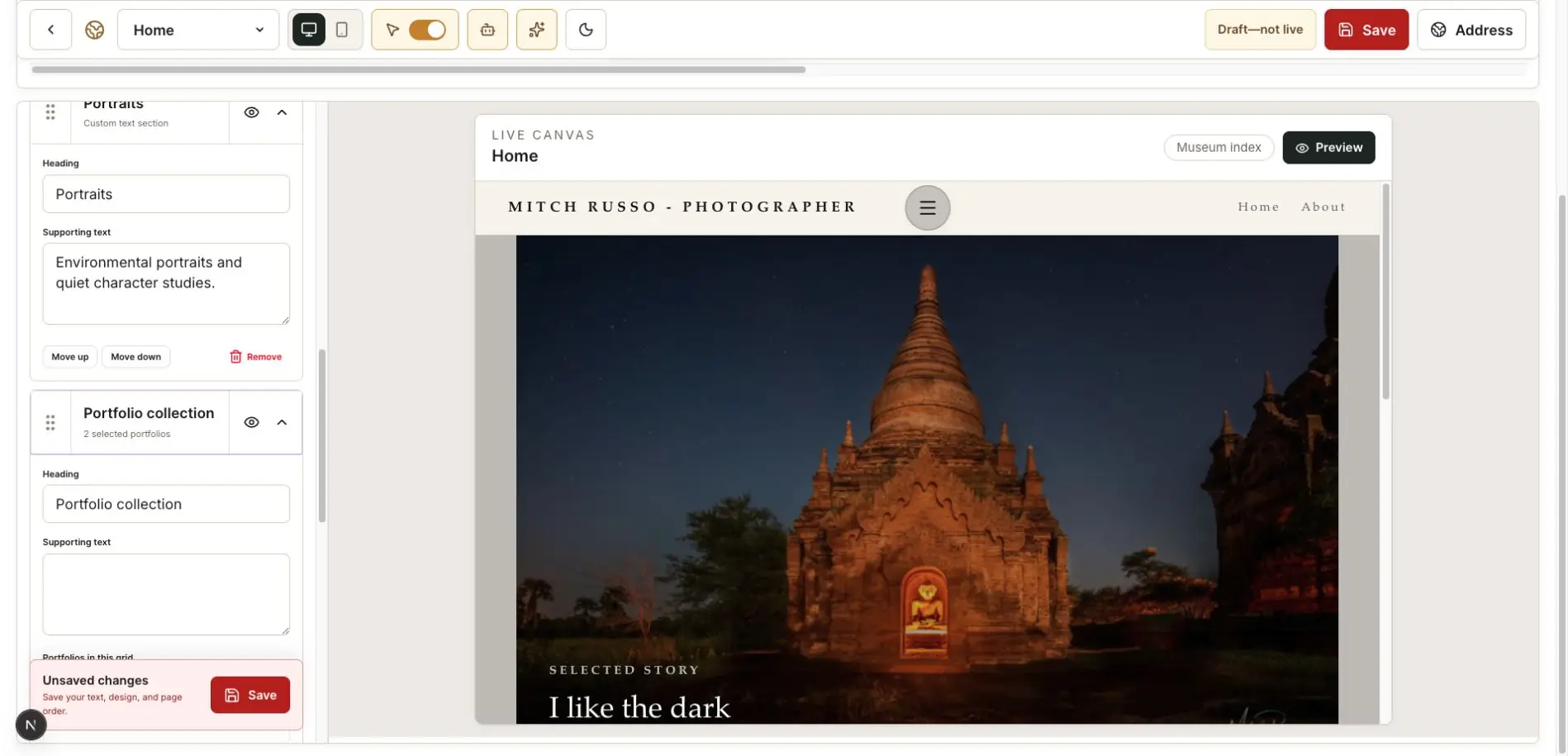
Under Home page blocks, select Text block. Add a short title and optional introduction, then choose the alignment.
Use the text as a chapter heading rather than a long essay.
Add a Portfolio grid
Select Portfolio grid and choose only the portfolios that belong under that chapter.
Repeat the Text block and Portfolio grid pattern for other specialties when it improves clarity.
Add an Accordion Story when the visitor should reveal chapters
Open Accordion Story in the left menu and turn on Show on website. Replace My story with the complete section heading, then rename every starter tab so it describes the real chapter.
Use each Story field for the text revealed by that tab. You can arrange two to six chapters, reorder them, and optionally choose a portfolio cover as the chapter image. Choose No image for a text-only chapter.
Check the wide vertical tabs in Desktop Preview and the stacked accordion in Mobile Preview before publishing.
Move and hide blocks
Drag blocks with the dotted handle or use the move controls inside the open card. Use the eye control to hide a section without deleting its setup.
Keep the page edited
PhotoView supports up to 12 custom Home blocks, but a good homepage rarely needs the maximum. Preview the whole page and remove sections that repeat the same work.
Finish with this checklist
- Each section has one clear purpose and a visitor-friendly heading.
- Portfolio grids contain only the destinations relevant to their chapter.
- Accordion Story tabs use meaningful names instead of untouched starter text such as Origin.
- The reading order works from top to bottom without repeated introductions.
- Sections you may use later are hidden rather than published unfinished.