
Best Lightroom Publish Services for Photographers in 2026
Compare the best Lightroom Classic publish services for 2026: PhotoView, Pixieset, SmugMug, Zenfolio and more, with prices, workflow fit and how to choose.

Best Lightroom Publish Services for Photographers in 2026
The best Lightroom publish service is the one that turns your Lightroom Classic collections into a live, branded site you never have to rebuild. For photographers who want a portfolio, mobile presentations and embeds from one dashboard, we built PhotoView for exactly that. If client delivery, proofing and print sales matter more, Pixieset, SmugMug and Zenfolio are the other names to weigh. Below you will find how publish services work, how the main options compare, what they cost and how to pick.
PhotoViewphotoview.ioPublish Your Portfolio From LightroomPhotoView connects Lightroom publishing with responsive portfolio templates, mobile-ready presentations, and website embeds, all managed from one dashboard.Explore PhotoViewTL;DR
- A publish service keeps a Lightroom collection in sync with an online destination, so edits and removals follow your catalog instead of needing a fresh export.
- PhotoView is built for portfolio presentation: 30+ responsive templates in every plan, plans from $3.99 per month, and one dashboard for your site, mobile view and embeds.
- Pixieset, SmugMug, Zenfolio, Pic-Time, ShootProof and CloudSpot lean toward client galleries, proofing and print sales.
- Check your Lightroom Classic version, how the service handles video and how much storage you need before you commit.
- Start with a free trial of your top choice and publish one real collection through it.
Table of Contents
- What a Lightroom publish service actually does
- Two kinds of services: portfolio first or client delivery first
- Lightroom publish services compared
- PhotoView: publish once, present everywhere
- Pixieset, SmugMug and Zenfolio
- Pic-Time, ShootProof, CloudSpot and Picdrop
- Plugins and DIY options for specific workflows
- How to choose: six questions
- A setup that keeps publishing painless
- Our perspective
- Try PhotoView with one real collection
- FAQ
- Sources
What a Lightroom publish service actually does
Lightroom Classic has a Publish Services panel in the Library module. You connect a destination, drag photos into a published collection and click Publish. After that, Lightroom tracks which images are new, changed or removed, and sends only those updates.
That ongoing relationship is what separates a publish service from a one-time export. Jeffrey Friedl’s Collection Publisher plugin shows the idea in its simplest form: it exports copies of your photos to a folder hierarchy that mirrors your collection hierarchy, and when you add, remove or change images, those changes are reflected on disk.
A hosted service applies the same logic to a website or gallery. Your Lightroom collection becomes the source of truth. The online version follows it.
Three things follow from this:
- Organization happens in Lightroom. Collections and collection sets become galleries and groupings.
- Updates are incremental. You do not re-upload a whole shoot because you swapped three frames.
- The destination decides the presentation. Templates, privacy, domains and mobile behavior all live on the service side.
That last point is where the services differ most, so it deserves the bulk of your attention.
Two kinds of services: portfolio first or client delivery first
Most of the options split into two camps. Understanding which camp you are in saves you from comparing the wrong things.
Portfolio-first services exist to show finished work to people who discover you: prospective clients, art buyers, editors, followers. They emphasize templates, layouts, mixed media, custom domains and embeds.
Client-delivery-first services exist to hand a finished event shoot to a couple or a family, then collect favorites, proofing choices and print orders. They emphasize download controls, store features and client apps.
A wedding photographer often needs both. A travel, fine art or commercial photographer usually leans portfolio-first. According to a 2026 roundup of client gallery platforms, Pixieset, Pic-Time, ShootProof, CloudSpot, SmugMug and Zenfolio all offer Lightroom integrations, and they differ in storage, gallery and proofing features, print sales and mobile apps.
Lightroom publish services compared
Prices below are the starting plans as published. Pixieset, SmugMug and Zenfolio figures come from the October 2026 comparison and are billed annually. PhotoView prices come from our own pricing page. Always confirm current numbers on each provider’s site.
| Service | Best for | Starting price | Notable strengths |
|---|---|---|---|
| PhotoView | Portfolios, mobile presentations, live embeds | $3.99/month or $39.99/year (Starter) | 30+ templates in every plan, Lightroom publishing, Smart Folders, custom domains, mixed media |
| Pixieset | Client galleries with a mobile app | $8/month, billed annually; free tier limited to 3 GB | Lightroom Classic plugin, client mobile apps |
| SmugMug | Large archives | $20/month, billed annually | Unlimited photo storage |
| Zenfolio | Photographers selling work | $7/month, billed annually | Lightroom integration, gallery and sales tools |
| Pic-Time | Wedding and event delivery | See provider | Lightroom integration, print sales |
| ShootProof | Proofing and client orders | See provider | Lightroom integration, proofing |
| CloudSpot | Event delivery | See provider | Lightroom integration |
| Picdrop | Team and client selection | See provider | Image selection that exports to Lightroom or Capture One |
| Automattic Lightroom plugin | WordPress sites | See provider | Two-way sync with WordPress |
| Collection Publisher | Syncing to disk or FTP | See provider | Mirrors collections to folders |
Only the figures above have a source behind them, so treat the “See provider” rows as a prompt to check each pricing page before you decide.
PhotoView: publish once, present everywhere
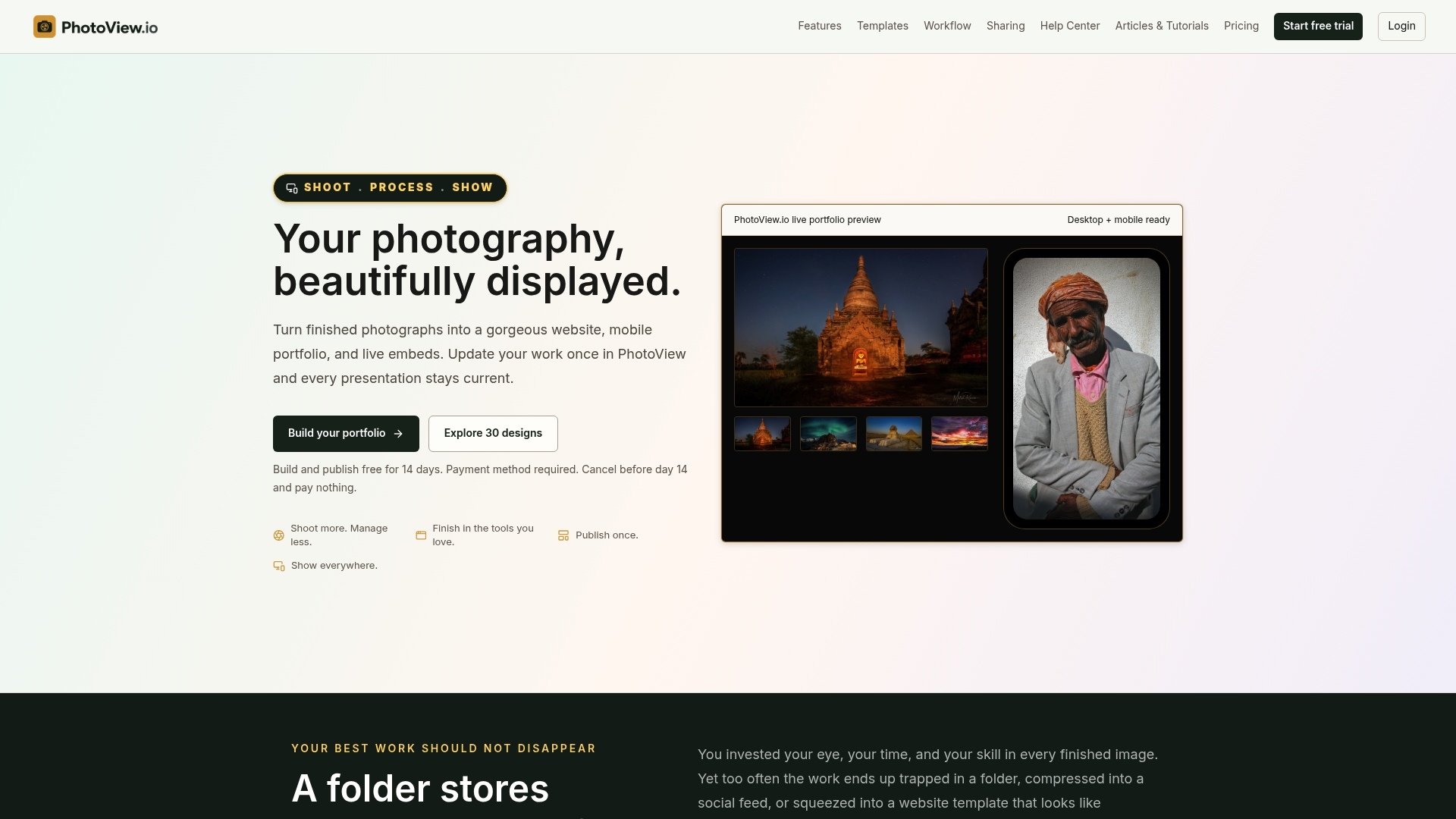
We built PhotoView for photographers who want to spend more time shooting and less time managing websites. You publish finished photos and videos from Lightroom, and the same content appears on your portfolio site, in mobile-ready presentations and in live embeds on other sites.
What that looks like in practice:
- One source, many outputs. Update your work once and your site, mobile view and embeds stay current without rebuilding content.
- Every template in every plan. The 30+ responsive portfolio templates are included at every tier, so a lower plan never locks you out of the look you want.
- Smart Folders and multiple galleries. Organize a travel series, a commercial campaign and a fine art body of work separately, with mixed media side by side.
- Custom domains and private sharing. Present under your own brand, and share selected work privately when a client needs a look.
- Social campaign tools. Turn published work into automated social posts so new images are seen where people discover them.
Plans are tiered by storage, with all portfolio and website features included:
| Plan | Monthly | Annual |
|---|---|---|
| Starter | $3.99 | $39.99 |
| Growth | $5.99 | $59.99 |
| Studio | $7.99 | $79.99 |
| Premier | $11.99 | $119.99 |
| Custom | No published price | No published price |
The Custom plan is there for high-volume archives. If your library is large, see how we handle photo and video storage before choosing a tier.
For a deeper walk-through of the workflow, our guide on portfolio publishing from your catalog covers the path from collection to live site, and the page on publishing straight from Lightroom shows the setup.

Pixieset, SmugMug and Zenfolio
These three are the names photographers mention most when they compare hosted galleries, and each has a clear identity.
Pixieset offers a Lightroom Classic plugin that syncs photos to online galleries. Per the 2026 comparison, paid plans start at $8 per month billed annually, and the free tier is limited to 3 GB. It also provides mobile apps for clients, which suits photographers who deliver shoots to people who want to browse on a phone.
SmugMug is the choice when storage volume is the main worry. The same comparison notes that it offers unlimited photo storage, with plans starting at $20 per month billed annually. If you are weighing a move away from it, our page on SmugMug alternatives for Lightroom photographers lays out what changes.
Zenfolio starts at $7 per month billed annually and pairs a Lightroom integration with gallery and selling tools, which fits photographers who sell work directly.
All three can carry a solid portfolio. Where we think PhotoView fits better is when the portfolio itself is the product: a consistent visual style, templates that are never gated by plan, and live embeds that update on your existing site.

Pic-Time, ShootProof, CloudSpot and Picdrop
These four lean toward event and client work. Pic-Time, ShootProof and CloudSpot each offer Lightroom publishing, according to the client gallery roundup. Picdrop takes a different route: it supports team and client image selection, and you can export selections back to Lightroom or Capture One.
If your income is mostly weddings and events with print sales, look closely at these. If you also need a portfolio that sells your style to new clients, many photographers pair a delivery tool with a portfolio platform. In that setup, the portfolio side is where we are most useful.
Plugins and DIY options for specific workflows
Not every publish workflow ends at a hosted gallery. Two options are worth knowing.
Automattic’s Lightroom plugin supports two-way sync between Lightroom Classic (version 13.4 or later) and WordPress sites, and handles full-resolution originals as of August 2026. That suits photographers already committed to a WordPress build who are comfortable maintaining it.
Jeffrey Friedl’s Collection Publisher copies your collection structure to disk and can FTP-sync the results, which Friedl describes as handy for iPad photo viewers that support FTP. It can also send new or changed photos and delete files that have left the publish tree. Note that after the trial period, his plugins are usually limited to 10 images at a time until registered.
These are flexible tools, but they give you plumbing rather than a finished presentation. You still supply the site, templates, domain and mobile experience.
If you also write articles or captions around your photography, a content publishing platform can automate the posting side of that work while your images flow through Lightroom.
How to choose: six questions
Work through these in order. Most photographers know their answer by the third.
1. Who sees the work first?
If prospects and buyers land on it from search or social, choose portfolio presentation. If a couple opens a private link after a wedding, choose client delivery. If both, plan on a portfolio platform plus a delivery tool, or a platform that covers private sharing as well. Our private sharing page shows how we handle that side.
2. Do you need video?
Many photographers now show short clips beside stills. Check that a service handles mixed media in the same gallery. We support photo and video portfolios together, and our guide to photo and video portfolios from Lightroom explains the setup.
3. Do you already have a website?
If you have a site you like, an embed that stays current may be better than a full migration. Our live embed option lets your existing site display a portfolio that updates when you publish.
4. How big is your library?
Storage is the lever most plans pull. Count finished images and video you want online, not your whole catalog. Then pick the tier that gives headroom for a year of growth.
5. How much design control do you want?
Templates shape how your work reads. A gated template library means upgrading just to change the look. With every template in every plan, you choose style first and storage second.
6. Which Lightroom version are you on?
Adobe provides technical support only for the current and prior versions of Lightroom Classic, currently 15.x and 14.x as of February 2026. Keep your catalog on a supported version so publishing plugins behave predictably.
A setup that keeps publishing painless
Whatever service you choose, a clean collection structure does most of the work.
- Create collection sets for each body of work, such as Travel, Commercial and Fine Art.
- Put finished images in collections inside those sets. Collections hold images, while collection sets hold collections and other sets, as Friedl’s documentation explains.
- Connect your service in the Publish Services panel and drag in one collection first.
- Publish, then view the result on a phone and a laptop. Check cropping, order and captions.
- Add the rest once the first collection looks right.
If you want a step-by-step version, our workflow guide from Lightroom to an online portfolio goes through it, and our plugin walkthrough covers keeping galleries updated in place.
One caution from Friedl’s own notes: his experimental mirroring feature, which syncs collections elsewhere in the catalog, is fragile and can cause surprises if its caveats are ignored. Keep your structure simple and your publish setup will be easier to maintain.
Our perspective
Most photographers do not struggle with taking pictures. They struggle with the second job: keeping a website, a mobile view and a handful of embeds all showing the same current work.
We built PhotoView around one idea. You curate finished photos and videos once, and every place your work appears stays up to date. Lightroom publishing is the doorway, Smart Folders and multiple galleries are the organization, and the templates are the presentation. All of it is included in every plan, so style is never a pricing decision.
When you compare publish services, ask what happens the day after you publish. If the answer is more rebuilding, the service is working for itself. If the answer is nothing, because the work is already live everywhere, it is working for you.
Mitch Russo
Try PhotoView with one real collection
PhotoView is a subscription with a free trial, tiered by storage, with every template and portfolio feature in every plan. Starter is $3.99 per month or $39.99 per year, and Premier is $11.99 per month or $119.99 per year.
Pick your best collection, publish it from Lightroom and see it on your phone. Compare PhotoView plans or browse our portfolio publishing solutions to see which setup matches how you work.
FAQ
What is the difference between a publish service and an export plugin?
A publish service keeps a collection linked to its destination and sends only what is new, changed or removed. An export plugin usually creates a one-time batch of files. If you update galleries often, a publish service saves repeated uploads.
Do I need Lightroom Classic for publish services?
The Publish Services panel belongs to Lightroom Classic, and most plugins and integrations described here target it. Adobe supports the current and prior Classic versions, so staying on one of those is the safest route for publishing.
Which service is best if I only want a portfolio, not client delivery?
Choose a portfolio-first platform with templates, custom domains and embeds. PhotoView is built for that: publish from Lightroom, present on a site, mobile and embeds, with all 30+ templates included in every plan.
How much should I expect to pay?
Starting plans in the October 2026 comparison are $7 per month for Zenfolio, $8 for Pixieset and $20 for SmugMug, all billed annually. PhotoView starts at $3.99 per month or $39.99 per year, with higher tiers adding storage.
Can I publish video from Lightroom too?
That depends on the service, so confirm it before buying. PhotoView supports mixed photo and video portfolios, so finished clips can sit alongside your stills in the same gallery.
Sources
- The Best Client Gallery Platforms for Photographers in 2026
- Jeffrey’s Collection Publisher
- Two New Lightroom Plugins: Folder Publisher and Collection Publisher
- Plugin Registration
- Automattic Lightroom Plugin: Real-World Sync
- Lightroom Classic Supported Versions