
Lightbox vs Slideshow: Which Fits Your Photo Portfolio?
Lightbox or slideshow for your photography portfolio? Learn how each works, when to use which, and how to combine them for clients and mobile viewers.

Lightbox vs Slideshow: Which Fits Your Photo Portfolio?
A lightbox lets a visitor open any photo from a grid at a larger size without leaving the page. A slideshow walks them through your images one at a time, in an order you choose. For most photographers the best answer is both: a grid with a lightbox for browsing and choosing, and a slideshow-style sequence for stories, series and first impressions. We built PhotoView so you update your work once and present it across your website, mobile and embeds, so you are not rebuilding a gallery every time you change a layout.
PhotoViewPresent Your Photos Your WayPhotoView lets you curate finished photos and videos, then publish them through responsive templates and mobile-ready presentations.VisitTL;DR
- A lightbox is an overlay: thumbnails stay on the page, and a click opens a larger view above it. Best for browsing, proofing and comparing.
- A slideshow shows one image at a time with next and previous controls, and sometimes autoplay. Best for a controlled sequence, a hero area or a single series.
- Use a grid plus lightbox for portfolios and client galleries. Use a slideshow where order and pacing matter more than scanning.
- On mobile, favor full-screen viewing, swipe, large controls and an obvious way out. Never let autoplay run without a pause control.
- Choose a platform that lets you change the presentation without re-uploading or rebuilding your work.
Table of Contents
- The difference in one minute
- How a lightbox works for photographers
- How a slideshow works for photographers
- When to use a lightbox, a slideshow, or both
- Making either one work on a phone
- Accessibility checks you can do in five minutes
- Our perspective
- Keeping one set of images behind every presentation
- What about a Lightroom slideshow?
- Choosing a platform for either pattern
- Try it on your own work
- FAQ
- Sources
The difference in one minute
The two patterns solve different problems.
A lightbox is a layer that sits above the current page. According to Uxcel’s definition, it dims or blurs the background and lets visitors inspect content without navigating away. In a gallery, clicking a thumbnail opens the larger view. The visitor keeps their place in the grid, so closing the image returns them exactly where they were.
A slideshow, also called a carousel or image rotator, is a sequence. The W3C’s carousel pattern describes it as a set of slides, typically one image at a time, where the current image gives way to the next or previous one. Viewers move with next and previous controls and may be able to jump to a specific slide.
Put simply:
| Lightbox | Slideshow | |
|---|---|---|
| What you see first | A grid of thumbnails | One large image |
| Who controls the order | The visitor, by choosing what to open | You, by sequencing |
| Where the viewing happens | In an overlay above the page | In place, on the page or full screen |
| Best for | Browsing, proofing, comparing, detail | Storytelling, series, hero areas, presentations |
| Main risk | Poor close and focus behavior | Autoplay the viewer cannot stop |
The confusion comes from the fact that the two overlap. Many lightboxes let you move left and right through the set once an image is open, which makes them behave like a slideshow. The University of Arkansas web team notes that gallery viewers commonly offer previous and next buttons, thumbnails, image numbers, captions and keyboard arrow controls. So the real question is not which feature is on the box. It is where the visitor starts: with a grid they scan, or with a sequence you lead.
How a lightbox works for photographers
Picture a wedding or travel gallery with 40 images. A grid shows all 40 at a glance, and the visitor’s eye does the editing. They spot a frame, click it, and see it large.
That last step matters, because thumbnails often hide what makes a photograph good: texture, focus, expression. SAP’s design guidance describes the lightbox as the right tool when a thumbnail lacks enough detail and the original is larger than the preview. The image is resized proportionally to fit the screen. If the large view would be no bigger than the thumbnail, a lightbox adds a click and nothing else.
A well-built lightbox does a few things consistently. The Hoover Digital Media Learning Platform describes the basics: a full-screen overlay with a close button, the Escape key closing it, and the page behind it not scrolling while it is open.
Where a lightbox wins
- Client proofing and selection. Clients scan, open, compare, and say “number 14.” The grid stays put behind the overlay.
- Large portfolios. Fifty images in a sequence is a long sit. Fifty thumbnails is a quick scan.
- Mixed orientations. Portraits and landscapes in one grid, each opened at its true ratio.
- Detail-heavy work. Fine art prints, product shots and architecture reward a closer look.
Where a lightbox falls short
- Visitors who do not click never see the large images, so your best work must carry itself at thumbnail size.
- Sequence is the visitor’s choice, so a narrative series can lose its order.
- A poorly built overlay traps keyboard users or loses their place on close.
How a slideshow works for photographers
A slideshow is you directing the viewer. One frame, then the next, in an order you chose. That suits a photo essay, a before-and-after set, a wedding story told from getting ready to last dance, or a home page that opens with five signature images.
The controls vary. Apple’s developer documentation for its slideshow component lists forward and back, pause and play, an index of all items, fit to screen and close, plus keyboard arrows. The University of Arkansas adds that a slideshow can advance on a timer, manually, or both, with a pause button in the mixed case.
Where a slideshow wins
- Pacing. You decide how long a story takes and where it lands.
- Focus. One image, no competing thumbnails.
- Small footprint. A slideshow can sit in a hero area or a narrow embed where a full grid will not fit.
- Presentations. Showing a set to a client on a phone or a big screen works best when each frame gets the whole display.
Where a slideshow falls short
- Visitors cannot scan the whole set, so they must click through to find what they want.
- Autoplay can frustrate people who are reading or studying a frame. The W3C pattern says that if a slideshow rotates automatically, you should provide a control to stop and restart rotation, and rotation should pause when keyboard focus enters it or the pointer hovers over it.
- Slide three is easy to miss. Put weaker images in the middle of a sequence and many visitors will never reach your strongest ones.
When to use a lightbox, a slideshow, or both
Start from the job the page has to do.
| Your goal | Best pattern | Why |
|---|---|---|
| Let a client choose favorites | Grid with lightbox | They can scan and compare, then enlarge |
| Open your home page with impact | Slideshow or single hero | You control the first impression |
| Show a travel story in order | Slideshow | Sequence carries the narrative |
| Present a large archive | Grid with lightbox | Scanning beats sequential paging |
| Show a fine art series with captions | Both | Grid to choose a piece, sequence to experience the series |
| Embed a few images on another site | Slideshow or compact grid | Limited space, quick read |
The combination most photographers end up with
The strongest portfolio pages usually layer the two. A short slideshow or hero at the top sets the tone. Below it sits a grid of gallery thumbnails. A click opens a lightbox, and inside the lightbox the visitor can step left and right through that gallery as if it were a slideshow.

That gives the browser a map and the viewer a path. Neither pattern has to carry the whole page.
A quick worked example
Say you are a travel photographer with 12 galleries of 30 images each.
- Your home page opens with a five-image sequence, your best frames from five different trips, and each links to its gallery.
- Each gallery page is a grid of 30 thumbnails with a lightbox for the large view.
- For your best trip, you also publish a 12-image story in a fixed order, because its sequence is part of the work.
Each pattern has one clear job, and nothing is asked to do what it does poorly.
Making either one work on a phone
Most portfolio visits now happen on a phone, so judge both patterns there first. Uxcel’s guidance for mobile is a lightbox that can fill the full viewport, with large touch-friendly controls, swipe support, and more than one obvious way out: a close button, tapping outside, or Escape on a keyboard.
For a slideshow, check the same things: swipe left and right, controls big enough for a thumb, and no autoplay that cannot be stopped.
Three more checks matter for photographers in particular:
- Aspect ratio. A portrait image that gets cropped to a landscape frame is a different photograph. Look for viewers that keep your ratios. Our guide to a full-screen photo gallery that keeps ratios and meets WCAG 2.2 walks through it.
- Speed. Large files make a lightbox feel slow on cellular data. Responsive image sizes help, and we cover them in fast mobile photography portfolios with srcset and AVIF.
- Layout around the viewer. Navigation, captions and image sizing on a small screen all affect how the viewer feels. These image practices for mobile sites are worth a read, and our 8 step phone test gives you a way to check your own pages.
Accessibility checks you can do in five minutes
Both patterns can shut out people who use a keyboard or a screen reader if they are built carelessly. You can test most of it yourself.
- Open it with the keyboard. Tab to a thumbnail and press Enter. Uxcel notes that focus should move into the lightbox when it opens and return to the thumbnail when it closes, so keyboard users do not tab through hidden content behind it.
- Close it with Escape. If you cannot leave without a mouse, the viewer is not finished.
- Check slideshow controls. The W3C pattern calls for previous and next buttons, an accessible name for each slide, and an accessible label for the carousel as a whole.
- Stop the motion. Any autoplay needs a pause control, and it should stop when someone focuses or hovers over it.
- Write alt text. The carousel library Splide recommends labeling the carousel and giving every image an alt attribute. Describe the photograph in a short sentence, for example “Fishing boats at dawn in Hoi An, mist over the river.”
Our perspective
Photographers ask us whether they should pick a lightbox or a slideshow, and we think the question hides the real problem. The problem is that most photographers present the same work in four places: a website, a phone, a client link and an embed on another site. Every time the presentation changes, they redo the work.
We built PhotoView around the opposite idea. You keep your finished photos and videos in one place, curate them once, and present them across your website, mobile and live embeds. All 30+ templates are included in every plan, so choosing a layout is a design decision, not a pricing one. When you add a new image or reorder a gallery, your live site stays current without rebuilding the content.
That changes the lightbox-versus-slideshow decision. It stops being a permanent commitment and becomes a question of what each page needs to do. A grid for the client who has to choose. A sequence for the story that has to be read in order. Both drawn from the same set of images.
Our advice is to curate first, decide presentation second, and keep your portfolio-first work in one library you control.
Mitch Russo
Keeping one set of images behind every presentation
The practical cost of using both patterns is maintenance. If your hero sequence, your gallery grids and your embedded gallery each hold their own copy of an image, a retouch or a swap means editing three places.
The fix is a single source. Keep your finished images in one library and let each page draw from it. With PhotoView you can publish straight from Lightroom, keep a clean library with photo and video storage built for portfolios, embed a live portfolio on an existing website, and share galleries with clients through private photo sharing.
If you shoot on your phone while traveling, mobile photo import gets your best frames from the camera roll into the same library, so the sequence on your home page is never a month behind.
When you change something, you can preview, publish and update your website from the same dashboard.

What about a Lightroom slideshow?
A slideshow made in Lightroom is a different thing from a web slideshow. In Lightroom you select photos, arrange them, choose a template, preview it, and set layout, overlays and playback. Then you export it as a PDF or video, as Digital Photography School explains. That is a good way to make a file for a presentation or a social post.
It is a finished file, though, and it does not stay current. A portfolio page needs to change when your work does, so the sequences and galleries on your site should come from your live library rather than from an exported video.
Choosing a platform for either pattern
When you compare portfolio platforms, check these before you look at anything else:
- Can you show the same gallery as a grid and as a sequence?
- Does the viewer keep your aspect ratios on every screen?
- Does it work with swipe, keyboard and screen readers?
- Can you update once and see the change everywhere, including embeds?
- Are all templates available on your plan, or are the good ones locked?
- Can you use your own domain and branding?
Our longer guide to the best gallery platform for portfolio-first photographers goes through these in more detail.
Try it on your own work
PhotoView is a subscription platform for photographers who want a portfolio website, mobile presentations and live embeds managed from one dashboard. Every plan includes all portfolio and website features and all templates. Plans differ by storage:
| Plan | Monthly | Yearly |
|---|---|---|
| Starter | $3.99 | $39.99 |
| Growth | $5.99 | $59.99 |
| Studio | $7.99 | $79.99 |
| Premier | $11.99 | $119.99 |
A Custom plan is available for high-volume storage needs. You start with a free trial, then choose the plan that fits your library. See the plans on PhotoView to pick one.
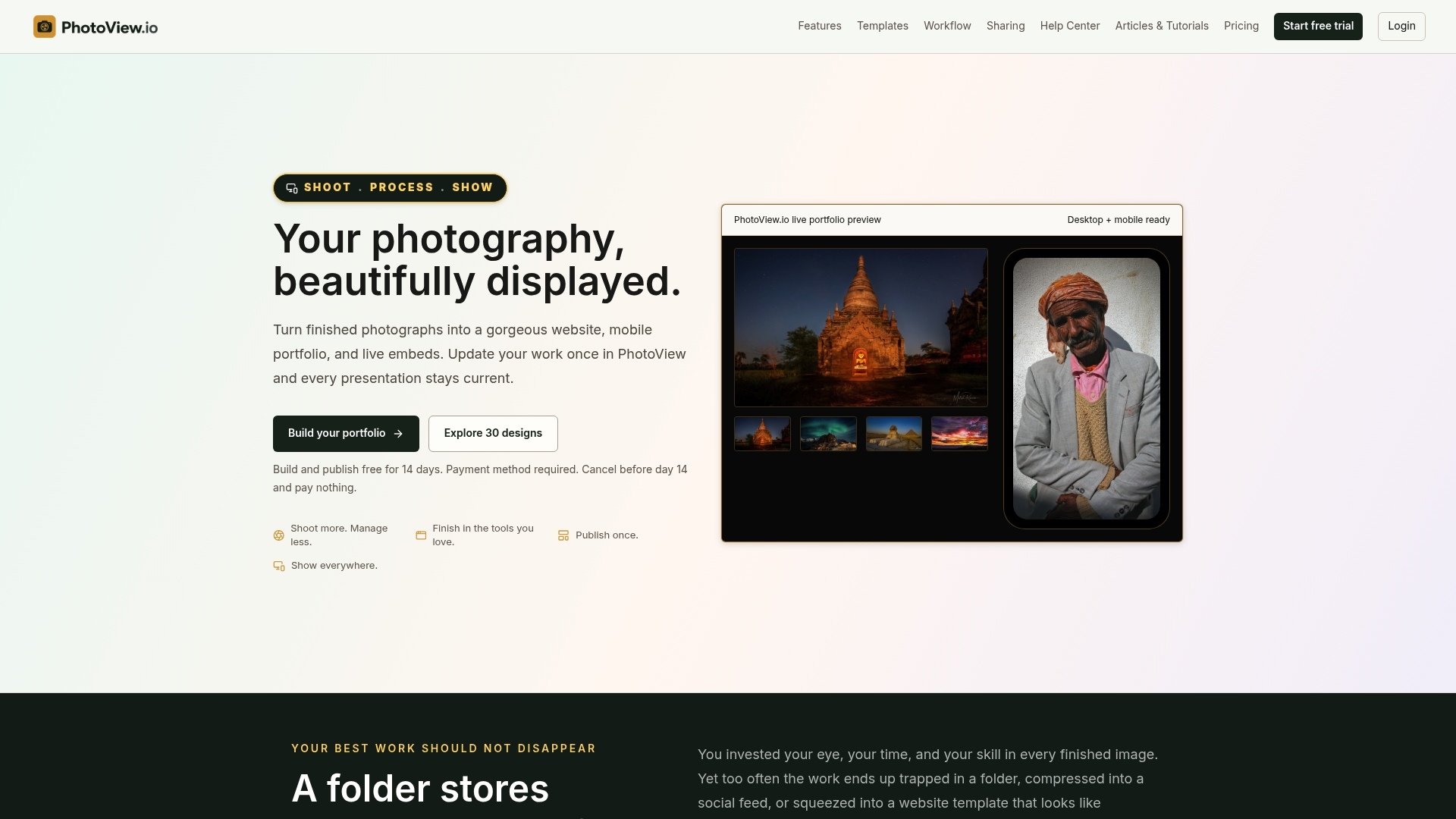
If you want your galleries to carry your own name, you can set your website name, logo and brand identity once, and it applies across the site.
FAQ
Is a lightbox the same as a slideshow?
No. A lightbox is an overlay that opens a larger view of an image from a grid or page. A slideshow is a sequence that shows one image at a time. They overlap because many lightboxes include next and previous arrows, but the starting point differs: a grid for a lightbox, a sequence for a slideshow.
Which is better for client galleries?
A grid with a lightbox is usually the better fit. Clients can scan the whole set, open the frames they like and compare them. Use a slideshow when you want to present a curated selection in a set order, such as a first look at the best images from a shoot.
Should a slideshow autoplay?
Only if viewers can stop it. The W3C’s carousel guidance says automatic rotation should come with a control to stop and restart it, and should pause on focus or hover. For portfolios, manual navigation with swipe and arrows is usually the calmer choice, because it lets people stay with a frame as long as they like.
What can I use instead of a lightbox?
You can open each image on its own page, expand it in place inside the grid, or use a full-screen viewer. A full-screen viewer is the closest to a lightbox and works well on phones. Choose whichever keeps the visitor’s place in the gallery and lets them leave easily.
Can I use both on the same page?
Yes, and many portfolios do. A short slideshow or hero opens the page, a grid of galleries follows, and each gallery opens in a lightbox where visitors can step through the images. Each pattern handles the job it is best at.
Sources
- Lightbox: definition and examples, Uxcel
- Lightbox usage guidance, SAP Fiori design system
- The Photo Gallery Lightbox, Hoover Digital Media Learning Platform
- Carousel (Slide Show or Image Rotator) Pattern, W3C WAI-ARIA Authoring Practices
- ImageKit Programming Guide: Slideshows, Apple Developer
- Image Galleries/Slideshows, WEBFirst, University of Arkansas
- Image Carousel, Splide
- Easy Tips to Create Slideshows in Lightroom, Digital Photography School